



Christmas is a season filled with memorable moments. From decorating the house and exchanging gifts to gathering with family and friends, the holiday offers plenty of opportunities to capture meaningful photographs. However, not every picture naturally has the festive atmosphere people want. Sometimes, the perfect family portrait is taken in an ordinary living room, a plain outdoor setting, or even months before the holiday season begins.
Fortunately, digital photo editing has made it easier to transform everyday pictures into festive holiday memories. With modern editing tools and artificial intelligence (AI), adding seasonal decorations, changing backgrounds, and creating Christmas-themed compositions no longer requires professional photography skills.
One popular creative idea is adding a Christmas tree to an existing photo. Whether someone wants to create a holiday greeting card, prepare a social media post, or simply make a personal photograph feel more seasonal, digital editing offers plenty of possibilities.
- Why Christmas-Themed Photo Editing Is Becoming More Accessible
- Creative Ways to Add Christmas Elements to Everyday Photos
- How AI Makes Adding a Christmas Tree to a Photo Easier
- Tips for Making Edited Christmas Photos Look Natural
- Choosing the Right Photo for Christmas Editing
- Beyond Christmas Trees: Exploring More Digital Holiday Creativity
- Final Thoughts
Why Christmas-Themed Photo Editing Is Becoming More Accessible

In the past, creating a convincing Christmas photograph often required careful planning. People needed to find an appropriately decorated location, prepare seasonal decorations, arrange lighting, and sometimes hire a professional photographer.
While traditional photography still has its advantages, digital editing provides another way to achieve a similar festive atmosphere without organizing an entire photoshoot.
Modern photo editing applications offer tools that allow users to introduce Christmas elements into existing pictures. These can include decorated trees, glowing lights, snowflakes, wreaths, wrapped presents, and other seasonal details.
Artificial intelligence has made this process even more accessible. Instead of manually cutting out objects, adjusting individual layers, and matching colors, some AI-powered tools can recognize the composition of an image and help incorporate new visual elements.
This is particularly useful for people who want to experiment with creative ideas but do not have experience with advanced editing software.
The result is a more flexible approach to holiday photography. A simple portrait can become a Christmas-themed image, while an ordinary room can be transformed into a cozy seasonal setting.
Creative Ways to Add Christmas Elements to Everyday Photos

A Christmas tree is one of the most recognizable symbols of the holiday season. Its decorations, lights, and colors can instantly make an image feel more festive.
However, adding a tree is only one of several ways to enhance a photograph. The best results often come from combining different elements while maintaining a natural-looking composition.
Here are some creative approaches worth exploring.
1. Create a Christmas Family Portrait

Family photographs are among the most meaningful images people take during the holiday season. They capture moments that can be revisited long after the decorations have been put away.
However, getting everyone together for a dedicated Christmas photoshoot is not always easy. Family members may live in different cities, have busy schedules, or simply prefer taking casual photographs at home.
Digital editing provides an alternative. An existing family portrait can be enhanced with a decorated Christmas tree, warm lighting, and subtle seasonal decorations.
For a more cohesive appearance, the added elements should complement the original photograph. For example, a warm Christmas tree with golden lights may work particularly well with indoor portraits featuring soft, natural lighting.
The goal is not necessarily to make the picture look like a professional studio photograph. Instead, it should preserve the personalities and expressions that make the original family picture meaningful.
2. Turn Ordinary Room Photos into Festive Scenes

Christmas decorations can completely change the atmosphere of an interior space. A living room that normally looks simple can feel warmer and more inviting with a decorated tree, decorative lighting, and seasonal ornaments.
This idea can also be applied digitally.
People can experiment with adding a Christmas tree to photographs of their living rooms, bedrooms, or other spaces. This is particularly useful for visualizing different decoration arrangements before purchasing actual decorations.
For example, someone considering a minimalist Christmas theme might experiment with a slim tree, neutral-colored ornaments, and warm white lights. Meanwhile, a more traditional composition could feature red and gold decorations, presents, and additional seasonal accessories.
Digital experimentation allows people to explore different styles without physically rearranging their homes.
3. Design Personalized Christmas Greeting Cards

Digital photographs can also become the foundation for personalized holiday greeting cards.
Instead of using generic seasonal illustrations, people can incorporate their own portraits, family photographs, or pictures with friends and pets.
A Christmas tree can serve as a visual centerpiece, while decorative borders, seasonal typography, and small ornaments complete the composition.
This approach creates something more personal than a standard greeting card. It also allows users to experiment with different layouts depending on where the finished design will be shared.
A vertical composition might work well for social media stories, while a landscape layout could be more suitable for digital greetings sent through email.
4. Prepare Festive Social Media Content

Social media is another reason people experiment with seasonal photo editing.
During the holiday season, personal accounts, online communities, and businesses often share Christmas-themed photographs and graphics. A simple image can become more visually engaging with a few carefully selected festive details.
For personal accounts, this might mean turning an ordinary selfie into a Christmas portrait. For small businesses, it could involve adding seasonal decorations to product photographs or creating holiday announcements.
The important thing is to maintain a consistent visual style. Too many decorations can make an image look cluttered, especially when the original photograph already contains several visual elements.
A well-placed Christmas tree, subtle lighting effects, and a balanced color palette are often enough to communicate the seasonal theme.
How AI Makes Adding a Christmas Tree to a Photo Easier
Traditional photo editing usually involves several steps. Users may need to find a suitable image of a Christmas tree, remove its original background, place it into another photograph, adjust its size, and refine the lighting.
Each step requires some understanding of image editing techniques.
AI-powered editing tools aim to simplify this process by making image manipulation more intuitive. Depending on the tool, users may be able to upload an existing photograph and describe the changes they want to make.
The technology can help interpret the visual context of an image and generate or incorporate additional elements.
For instance, adding a Christmas tree to a living room photograph involves more than simply placing a tree-shaped object somewhere in the frame. The tree needs to appear at an appropriate scale, occupy a believable position, and match the lighting conditions of the original scene.
Baca Juga
AI-assisted editing can help with these visual adjustments, although the quality of the result still depends on the source image, editing instructions, and capabilities of the tool.
For people interested in trying this approach, a dedicated tool such as add christmas tree to photo offers a convenient starting point for exploring Christmas-themed photo editing.
Rather than approaching the task as a complicated graphic design project, users can focus on the creative outcome they want to achieve.
Tips for Making Edited Christmas Photos Look Natural

Although adding festive elements is relatively straightforward with modern editing tools, producing a convincing result still requires some attention to detail.
A few simple considerations can make a significant difference.
Match the Lighting and Shadows
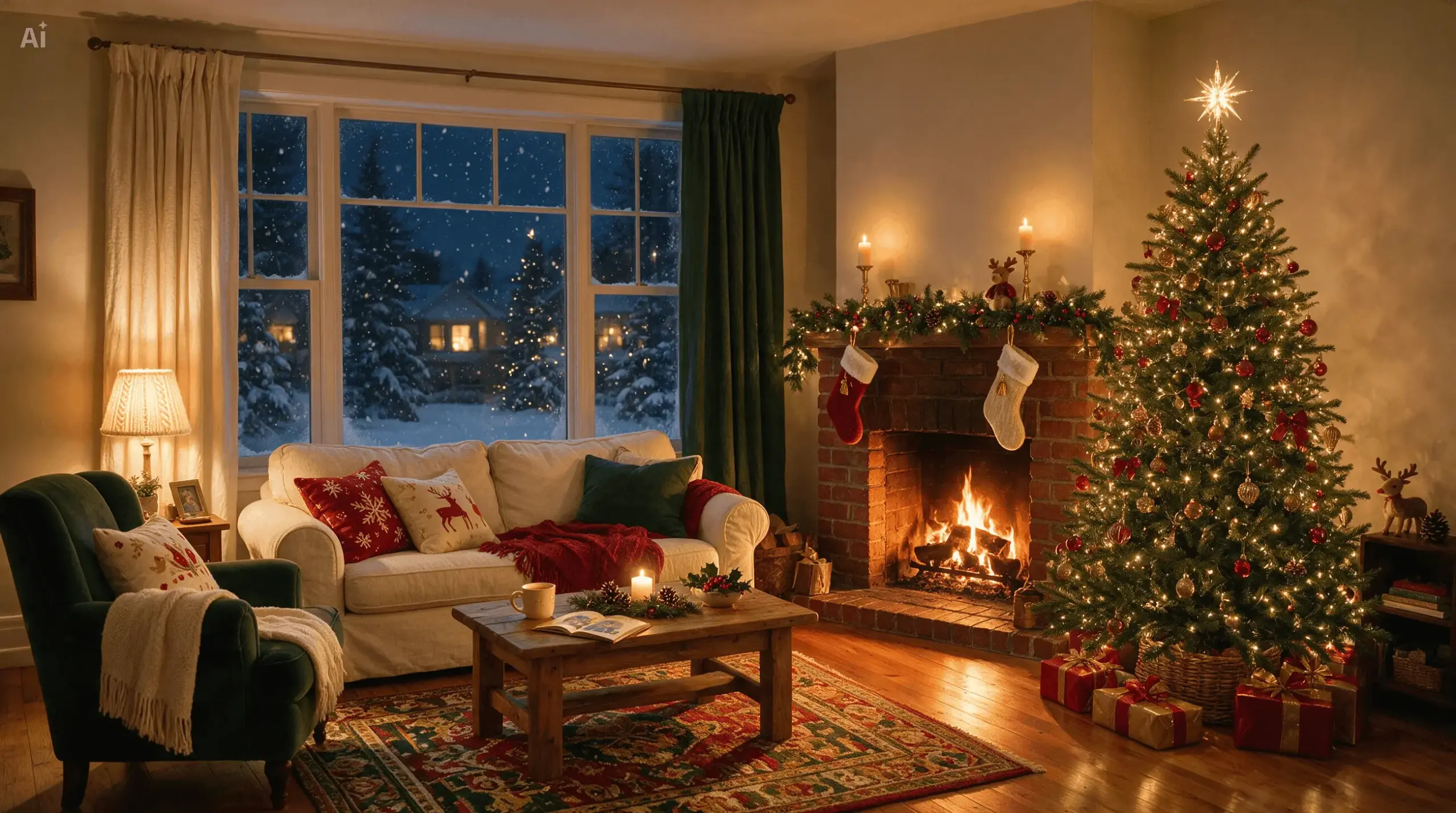
Lighting is one of the most important factors in realistic photo composition.
If the original photograph has soft daylight coming through a window, an extremely bright Christmas tree with dramatic nighttime lighting may look out of place.
Try to maintain consistency between the existing environment and the added decorations. Pay attention to the direction of the light, brightness, and surrounding shadows.
For indoor photographs, warm lighting often creates a cozy atmosphere. However, it should not overpower the people or other important subjects in the picture.
Choose the Right Tree Size and Position
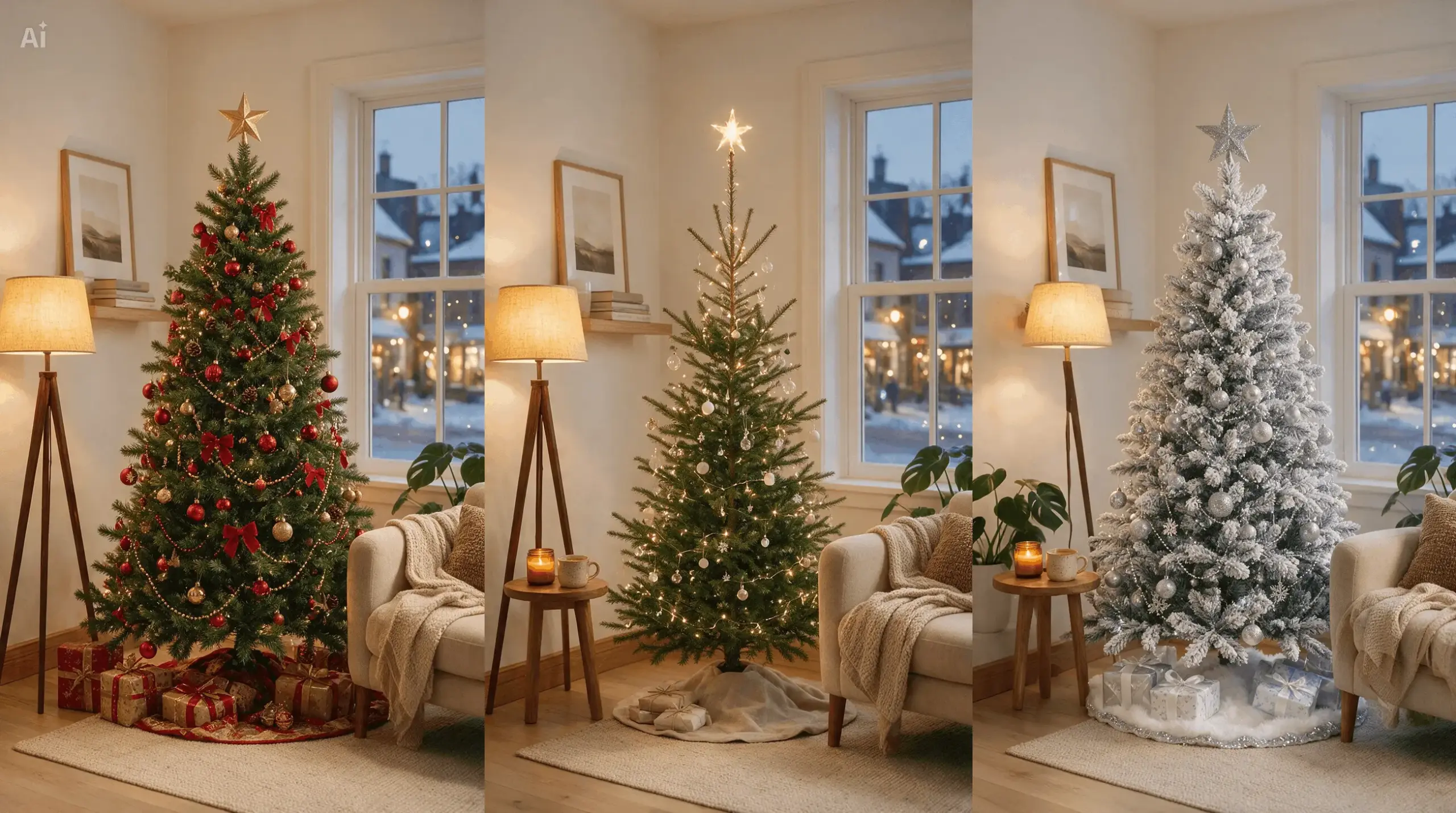
A Christmas tree should fit naturally into its surroundings.
A tree that is too large may make the room look unrealistic, while one that is too small might become visually insignificant.
Consider the available space in the original photograph before deciding where to place it. Corners, empty areas beside furniture, and spaces behind the main subject can provide suitable positions.
It is also important to preserve the original composition. If the photograph focuses on a person’s face, the tree should complement the subject rather than compete for attention.
Keep the Decorations Consistent

Christmas decorations come in many styles, from traditional red and green combinations to minimalist white, silver, and gold arrangements.
Choosing one visual direction helps create a more cohesive result.
For example, a photograph with neutral interior colors may look better with a tree decorated in white and gold. A more colorful family portrait might work well with traditional red ornaments and warm lights.
Consistency is especially important when creating photographs intended for greeting cards or social media campaigns.
Avoid Overediting Faces and Important Details

When using AI-assisted editing, it is worth checking whether the original subjects remain recognizable.
People generally want their Christmas photographs to look festive without losing the expressions and details that make the original images special.
Review the final result carefully, particularly around faces, hands, hair, and objects near newly added decorations.
If something looks unnatural, try adjusting the editing instructions or using a different source photograph.
Choosing the Right Photo for Christmas Editing

Not every photograph is equally suitable for digital editing. Starting with a good source image can make the entire process easier.
A photograph with clear subjects and sufficient lighting generally provides a better foundation for creative adjustments.
Here are a few things to consider before editing:
- Image quality: Use a reasonably sharp photograph with enough resolution for its intended purpose.
- Lighting: Images with balanced lighting are usually easier to enhance naturally.
- Available space: Photographs with some empty background space provide more flexibility for adding decorations.
- Composition: Consider whether the main subject and the proposed Christmas tree placement can coexist without making the image feel crowded.
- Intended format: Decide whether the final image will be used for a printed card, social media post, wallpaper, or another purpose.
It is also worth keeping an original copy of the photograph. This allows users to experiment with multiple editing ideas without losing the unedited version.
Beyond Christmas Trees: Exploring More Digital Holiday Creativity

Adding a Christmas tree to a photograph is just one example of how digital editing can support seasonal creativity.
The same general approach can be applied to other occasions throughout the year. People can experiment with birthday decorations, wedding-themed backgrounds, festive party compositions, or seasonal social media graphics.
For content creators and small businesses, these possibilities are particularly interesting. Digital editing can help produce timely visual content without requiring a new photoshoot for every campaign.
For individuals, it offers a simple way to personalize everyday photographs and create unique digital keepsakes.
However, technology should remain a creative tool rather than a replacement for genuine experiences. A digitally enhanced Christmas portrait can look beautiful, but the memories behind the original photograph are what give it personal meaning.
It is also important to consider privacy when using online editing platforms. Before uploading personal or family photographs, users should review the platform’s privacy policy and understand how uploaded images may be processed or stored.
Final Thoughts
Creating festive photographs no longer requires a perfectly decorated location or professional photography equipment. With modern digital editing tools, ordinary pictures can be transformed into seasonal compositions that reflect the warmth and creativity of Christmas.
Adding a Christmas tree, incorporating decorative lighting, and experimenting with different visual styles are simple ways to give existing photographs a new atmosphere.
Whether the goal is to create a personalized greeting card, prepare social media content, or simply make a favorite family picture feel more festive, AI-assisted photo editing opens up new creative possibilities.
The best results come from balancing technology with personal creativity. By choosing suitable photographs, maintaining realistic lighting, and avoiding excessive editing, anyone can create Christmas-themed images that feel both visually appealing and personally meaningful.